
✨ Hey guys! 😀 ✨
– – – – – – – – – – – – – – – – – – – – – – – – – – – – – – – – – – – – – –
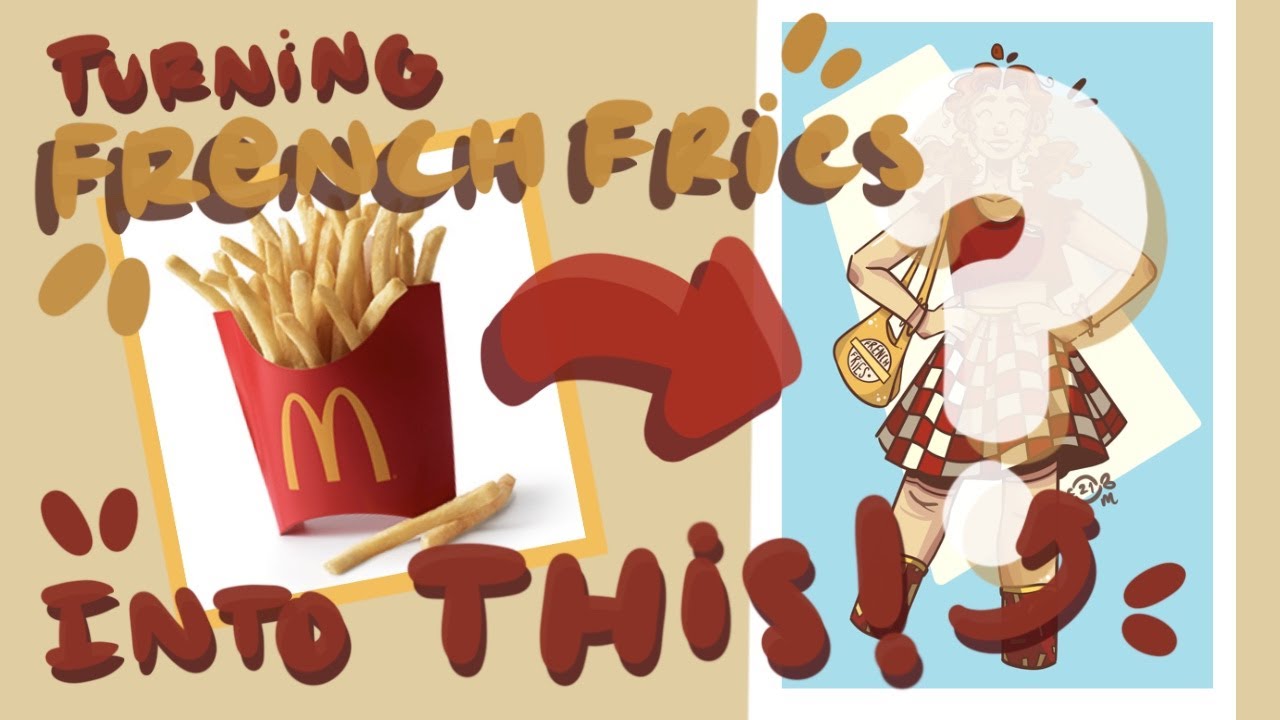
Welcome or welcome back to another video! In today’s video, I drew a girl inspired by a french fry! This is the second video I have made in which I turned a food into a person. I love how this drawing came out. This video is a collaboration with Artsy Pineapple, who is a small art youtuber who recently won 2nd place in my art contest. Definitely go watch her video and subscribe to her channel if you haven’t already! This video was partially inspired by the suggestion of Scribbles And Stuff, who won 3rd place in my art contest. She suggested that I made a video of turning something into a person, so I did!
I hope ya’ll enjoyed this video! Make sure to like it and subscribble to my channel if you want to see more content! Drop any video suggestions in the comments below.
– – – – – – – – – – – – – – – – – – – – – – – – – – – – – – – – – – – – – –
✨ COLLAB DETAILS ✨
Artsy Pineapple’s YouTube channel:
Please go check her channel out, she is amazing! Her part of this collab is on her channel so go watch it to see how she turned a burger into a person! 😀
– – – – – – – – – – – – – – – – – – – – – – – – – – – – – – – – – – – – – –
Comment a “🍟” if you read the description!
– – – – – – – – – – – – – – – – – – – – – – – – – – – – – – – – – – – – – –
✨ Frequently asked Questions ✨
|| Are my collabs open? ||
Sorry, as of right now, I am not doing any collaborations. I will update this if that ever changes. If it does, then you may comment down below if you want to do a collab, and I will choose a person that comments to collab with. As of right now, however, I am not accepting any more collab requests.
|| What digital brushes do I use? ||
On Procreate, I use the studio pen for my sketching, coloring, and lining. This is also the brush I use to erase. I used to use a brush called syrup, but I stopped using it because the studio pen offered more control over the line weight. Both of these brushes can be found in the inking section. If you are looking for a good pencil brush, then I suggest either the procreate pencil or the narinder pencil (both of which are, of course, located in the pencil section). Hopefully this helps!
– – – – – – – – – – – – – – – – – – – – – – – – – – – – – – – – – – – – – –
✨🎵 MUSIC CREDITS 🎵✨
(I use InShot to record my voiceovers, which is the same app that I use to edit)
This video used no music! 😀 (just a voiceover)
– – – – – – – – – – – – – – – – – – – – – – – – – – – – – – – – – – – – – –
✨ What do I use to make my videos? ✨
✨📷 Filming 📷✨
I use my iPad Pro (2020 version) to film all of the videos that I do not do digitally. Things such as digital speedpaints and intro, banner, and YouTube icon updates are all automatically screen recorded using my drawing program. Any videos that are filmed traditionally are filmed with my iPad Pro.
✨🎬 Editing 🎬✨
I use InShot to edit my videos. InShot is a free editing app that is available on both android and iOS devices. I have InShot downloaded on my iPad Pro, but it also works on phones and chromebooks (from what I have experienced). I definitely recommend it because it works amazingly and is the best free editing app that I have found so far. I use it to edit my videos and put music in them. But, you can also use it to make collages and edit photos. It is very useful overall, and even has a premium version that includes some extra features.
✨🎨 Drawing 🎨✨
I use Procreate to draw digitally. Procreate is a $10 digital drawing and animation app that is only available on iOS devices. I have Procreate downloaded on my iPad Pro, but I know it works on other versions of the iPad as well. I definitely recommend this app because it works very smoothly and automatically records all drawing progress, so it is very easy to do speedpaints. I think that it is worth the money, although Ibis Paint X is a great free option for drawing, too. I used it before I got my iPad Pro and downloaded Procreate. Ibis Paint X also automatically records all drawing progress and saves artwork automatically. The main difference between the two is that Procreate has a very handy animating tool in addition to many other features.
– – – – – – – – – – – – – – – – – – – – – – – – – – – – – – – – – – – – – –
✨ Bye guys! Have a great day 🙂 ✨